
Courses
SMARTFENSE is a security awareness platform that trains the people in your organization with Interactive Modules, videos, video games, newsletters and exams. A course puts several of those pieces into a path organized in sections, and each person moves one step at a time, in the order you define.
Request a demo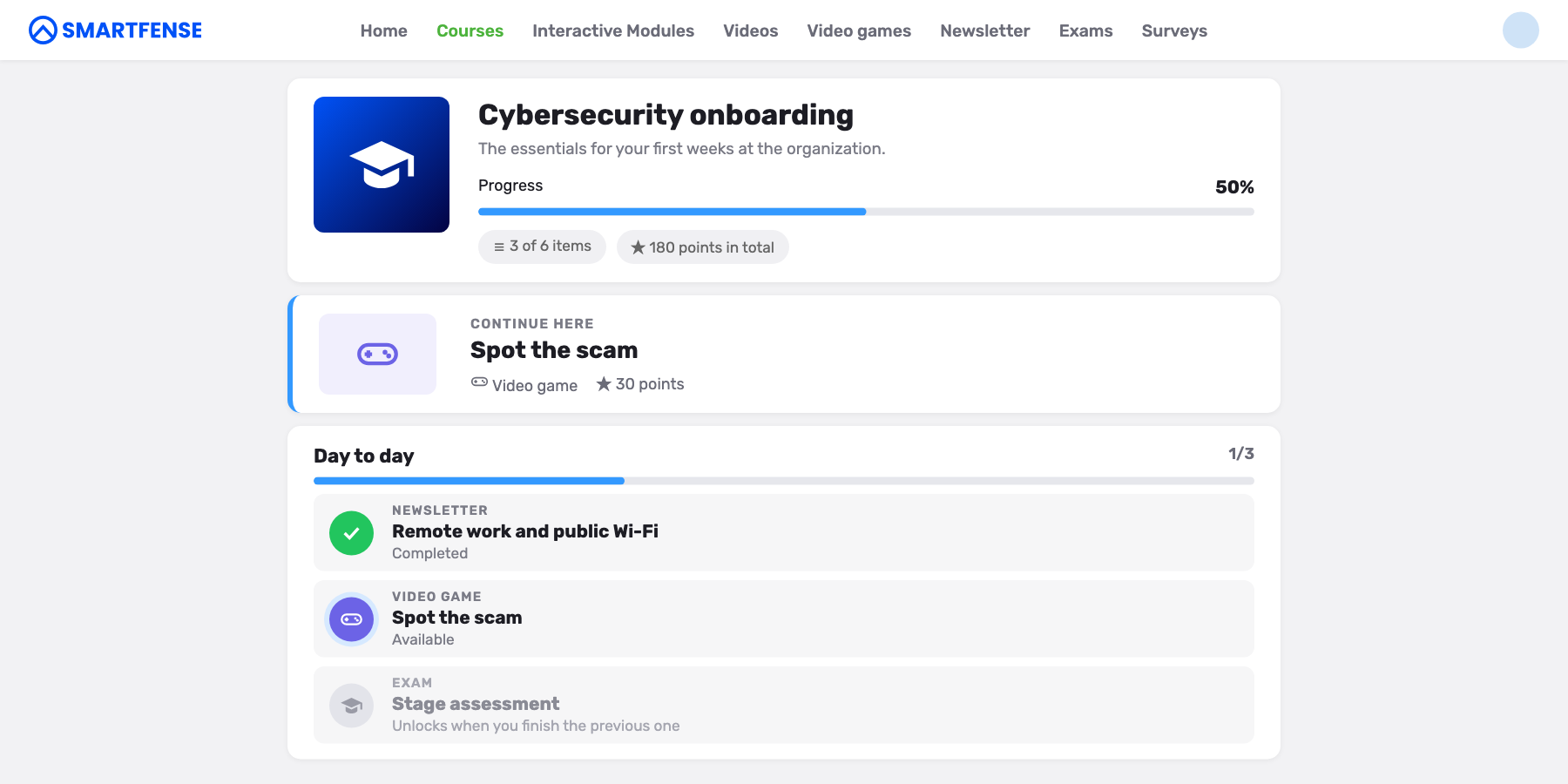
A SMARTFENSE campaign sends one piece of content to a group of people, with a start date and an end date. To teach a topic in three steps, you had to create three campaigns with staggered dates and trust that each person would do them in the intended order.
It rarely happens. Someone takes the assessment before seeing the content, someone else drops out halfway, and in the end you have three separate percentages that don’t tell you who completed the whole path.
With separate campaigns
Each campaign sends one piece of content, with its own dates. The order is up to each person and progress is measured piece by piece.
With a course
A single campaign assigns every step. The order takes care of itself, each person moves at their own pace while the campaign is active, and progress is measured from start to finish.
A course uses the content you already have in SMARTFENSE, without creating or duplicating any of it. You can start with the courses in the catalog or create your own with any mix you like, including your custom content.
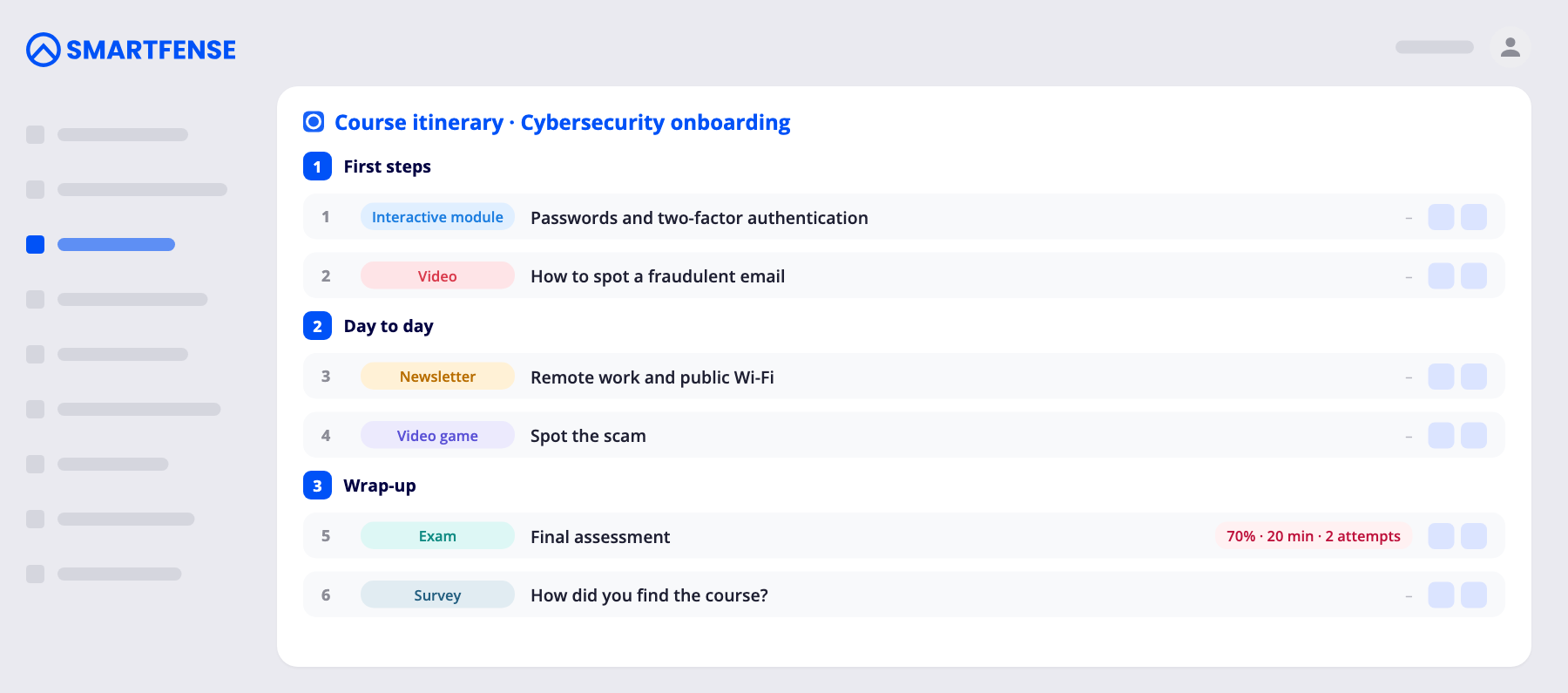
In the itinerary, each section groups its content in the order it will be followed.
They are the stages of the path. Each section has a name the person sees as a heading, and you can reorder them whenever you want.
A course can include Interactive Modules, videos, video games, newsletters, exams and surveys. The same piece can be part of several courses and still be sent on its own, in its own campaign.
Each exam in the course has its own pass mark, time limit and number of attempts, without touching the settings it has in other campaigns.
The course shows up as one more card on each person’s dashboard. When they open it they see the whole path, move at their own pace while the campaign is active and get course reminders (not one per piece) until they finish it.
1
2
3
4
1
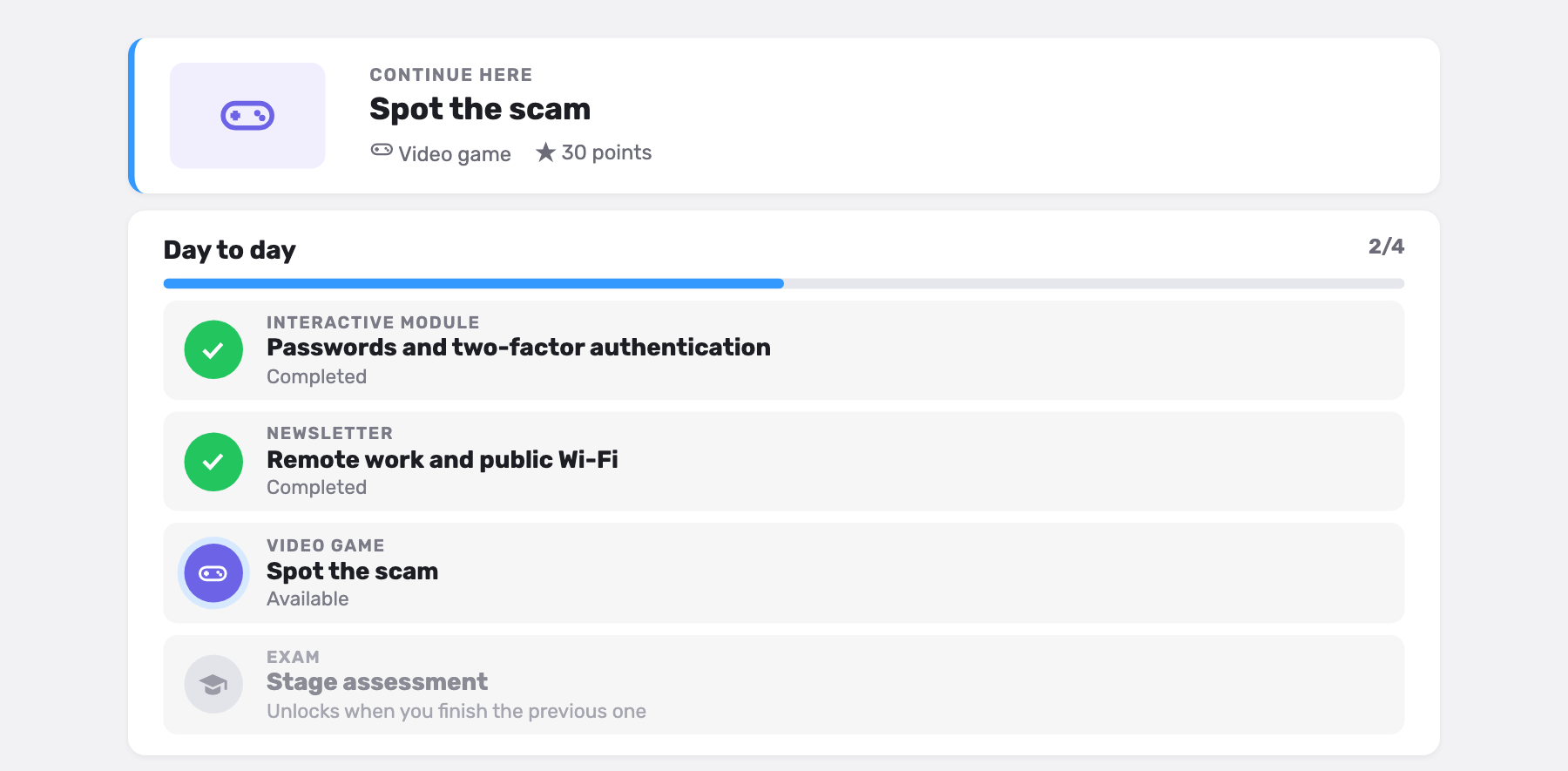
The platform points them to the piece that is up next, so they don’t have to decide where to start.
2
Each completed step is marked and adds its points to the course progress.
3
They can only open one piece at a time, the next one in the order you set.
4
They can see the upcoming steps from the start, but each one unlocks when they finish the previous one.
An exam at the end of a section assesses the whole stage. And a phishing simulation launched after the course tells you whether what you taught worked.
The campaign records who the course was assigned to, who started it and who finished it.
Each piece keeps recording its indicators in its own component, just as if you had sent it separately.
The campaign shows how many people have each piece not started, started or finished, so you can see at which stage the course stalls.
No. A course is created from what you already have, and producing something new is optional.
New joiners get an ordered path instead of five emails on the same day.
It works when the second piece makes more sense because the person has already seen the first.
Teams that handle payments, customer data or privileged access need their own pieces, in their own order.
A course defines the order in which a block of training is learned. It works alongside the automated awareness programs: the fixed program covers the year’s mandatory training with the same dates for everyone, a course orders a specific block such as onboarding, and Smart Path decides for each person what comes next for the rest of the year.
+1,000
organizations run their awareness program with SMARTFENSE
Every type of content that can go into a course has its own page in awareness tools.
We’ll show you how the itinerary is built, how the person sees it and what the campaign records.